
Video Editing
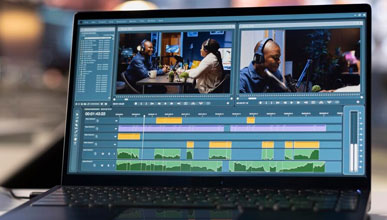
Master video editing and animation using Adobe Premiere Pro and After Effects, keyframes, transitions, and audio sync.
Live projects
Portfolio-ready work
Expert mentors
Industry professionals
Certificate
On course completion
Placement help
Resume & interviews
Course overview
Learn Photoshop, Illustrator, CorelDRAW, Canva, branding, typography, and creative design principles with hands-on projects to build a professional portfolio.
Course curriculum
10 modules
- What is video editing?
- Types of videos (YouTube, Reels, Ads, Films, Corporate)
- Editing workflow
- Understanding video formats and resolutions
- Cut, Trim, Split
- Ripple and Rolling edits
- Sequence creation
- Timeline management
- Keyboard shortcuts
- Adjusting volume
- Noise reduction
- Background music
- Sound effects
- Voice-over editing
- Audio synchronization
- Fade In / Fade Out
- Dissolve transitions
- Motion effects
- Speed ramps
- Basic visual effects
- Lower thirds
- Intro titles
- End screens
- Animated text
- Subtitles and captions
- White balance
- Exposure correction
- Contrast and saturation
- LUTs
- Cinematic color grading
- Keyframes
- Animation principles
- Logo animations
- Social media motion graphics
- YouTube videos
- Instagram Reels
- Shorts
- TikTok-style editing
- Vertical video formats
- Multi-camera editing
- Green screen (Chroma Key)
- Masking
- Tracking
- Advanced effects
- Export settings
- Codec selection
- Resolution and frame rates
- Upload optimization for social media
What you'll learn
Upon completing the Video Editing course, you'll be ready to edit professional videos, design kinetic typography, create lower thirds, and edit high-impact Reels and Shorts.
- Learn from experienced industry professionals with hands-on training
- Build job-ready skills through real-world projects and exercises
- Master core concepts from beginner to advanced with a structured path
- Improve problem-solving, critical thinking and technical skills
- Follow industry best practices, tools and workflows
- Gain confidence through interactive assignments and practice
- Earn a course-completion certificate to showcase your skills
- Get career guidance, resume help and interview preparation
1500+
Students trained
5+
Years of teaching
8+
Expert mentors
Frequently asked questions
Everything you need to know about this course.
No, our courses are beginner-friendly. Anyone can join, even without prior knowledge.
We provide both online and offline classes for your convenience.
Yes, you will receive a certificate after successfully completing the course.
We offer Basic Computer, UI/UX Design, Graphic Design, Frontend Development, Backend Development & Digital Marketing.
Course duration varies from 2 to 6 months depending on the program.
Yes, all courses include real-world projects and practical training.
Yes, we provide job guidance, resume building & interview preparation support.
You can pay via cash, UPI, bank transfer
Yes, we provide mentor support for doubts and guidance.
Yes, you can upgrade or switch courses based on your learning goals.
What our students say
Rated 4.9 / 5 by learners on Google
“The frontend training was very practical. I built real projects and now feel confident applying for developer roles.”

Aman Sanawal
Web Developer





From
₹4,999 /mo