
Basic Computer Course
Learn office tools, internet skills, typing, and essential computer knowledge for daily and professional use.
Live projects
Portfolio-ready work
Expert mentors
Industry professionals
Certificate
On course completion
Placement help
Resume & interviews
Course overview
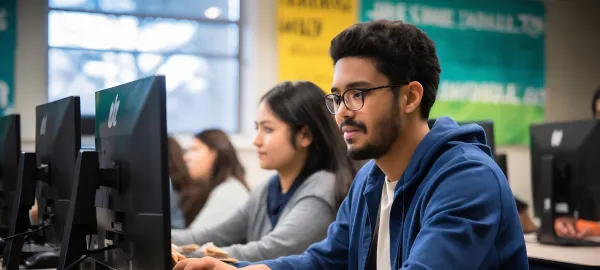
Learn office tools, internet skills, typing, and essential computer knowledge for daily and professional use.
Course curriculum
10 modules
- What is a computer?
- Features of a computer (speed, accuracy, storage)
- Types of computers (Desktop, Laptop, Tablet, Mobile)
- Input devices: Keyboard, Mouse, Scanner, Microphone
- Output devices: Monitor, Printer, Speaker
- CPU (Brain of computer)
- Storage devices: Hard disk, Pen drive, SSD
- Hardware (physical parts)
- Software (programs)
- Online Tools
- Google Workspace
- Final Assessment
- What is OS?
- Windows interface
- Desktop, icons, taskbar, start menu
- Opening and closing apps
- Create folder
- Rename folder/file
- Copy, cut, paste
- Delete & recycle bin
- File types (.docx, .jpg, .pdf)
- Alphabet keys, number keys
- Special keys (Enter, Shift, Ctrl, Alt, Spacebar)
- Typing practice basics
- What is internet?
- Web browser (Chrome, Edge)
- Search engine (Google)
- Opening websites
- Safe browsing tips
- What is email?
- Create email account
- Send and receive email
- Attach files
- MS Word (typing documents)
- MS Excel (tables, calculations)
- MS PowerPoint (presentations)
- Password safety
- Virus & antivirus
- Safe downloading
What you'll learn
Upon completing the Basic Computer Course, you'll have solid foundational skills in MS Office, internet, typing, and daily computing that are essential for any modern workplace.
- Learn from experienced industry professionals with hands-on training
- Build job-ready skills through real-world projects and exercises
- Master core concepts from beginner to advanced with a structured path
- Improve problem-solving, critical thinking and technical skills
- Follow industry best practices, tools and workflows
- Gain confidence through interactive assignments and practice
- Earn a course-completion certificate to showcase your skills
- Get career guidance, resume help and interview preparation
1500+
Students trained
5+
Years of teaching
8+
Expert mentors
Frequently asked questions
Everything you need to know about this course.
No, our courses are beginner-friendly. Anyone can join, even without prior knowledge.
We provide both online and offline classes for your convenience.
Yes, you will receive a certificate after successfully completing the course.
We offer Basic Computer, UI/UX Design, Graphic Design, Frontend Development, Backend Development & Digital Marketing.
Course duration varies from 2 to 6 months depending on the program.
Yes, all courses include real-world projects and practical training.
Yes, we provide job guidance, resume building & interview preparation support.
You can pay via cash, UPI, bank transfer
Yes, we provide mentor support for doubts and guidance.
Yes, you can upgrade or switch courses based on your learning goals.
What our students say
Rated 4.9 / 5 by learners on Google
“The frontend training was very practical. I built real projects and now feel confident applying for developer roles.”

Aman Sanawal
Web Developer





From
₹999 /mo